Free. Unlimited. Zero Servers.
Access to your own data must be absolutely free. The Extractor is a 100% free utility built for visual arts professionals. There are no subscriptions, hidden fees, or limits on the number of processed files.
Open Source
We stand for total transparency. The parser architecture, including recursive search algorithms for ComfyUI terminal nodes, is open and published on GitHub under the MIT License. Inspect the code, verify data processing security, and join the development of the open standard.
100% Local PWA
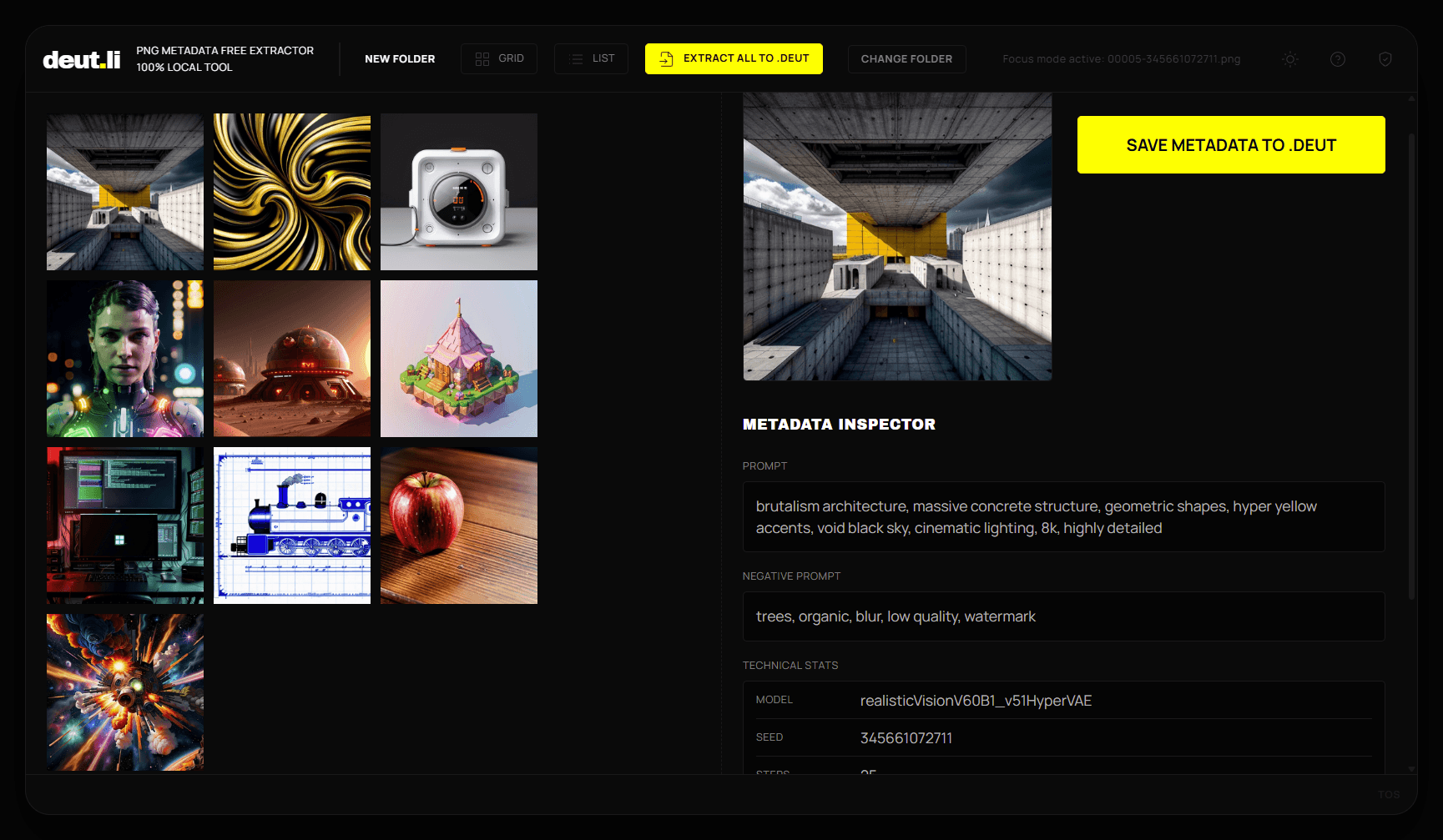
The Extractor operates exclusively using your browser's computational power (File System Access API). Your images never leave your computer. Install the application once (PWA) and process thousands of files completely offline, without an internet connection.
Untouched Originals & The .deut Format
Unlike other tools, we strictly do not modify original images. The Extractor uses the “Sidecar” philosophy — it creates lightweight companion text files with the .deut extension alongside your works. The original PNG remains untouched, while the extracted workflow is securely locked and protected by a SHA-256 cryptographic signature.
Full Prompt Editor in Development. The DEUTLI ecosystem is growing. We are currently building a comprehensive tool for visual arts. Learn more about the core concept on our main page.
DEUTLI EXTRACTOR / DESKTOP
A professional-grade metadata extraction utility. Zero-telemetry, air-gapped processing for local files. Extracts hidden tEXt chunks and converts node graphs into the open .deut format.
Security Notice: Pre-compiled binaries are unsigned. Expect OS security warnings (SmartScreen / Gatekeeper). 100% local, no installation required.
Industrial-Grade Performance on Basic Hardware
DEUTLI Extractor V2 is designed for the rapid processing of massive generative art archives. The efficiency of the Web Worker architecture and the optimized recursive parsing algorithm ensures high speeds even on everyday hardware.
During stress testing, a batch extraction of 1,000 high-resolution images (2K to 3K) was performed. A slow external hard drive (magnetic HDD Hitachi 5K250-120, 5400 RPM) connected via a standard USB 3.0 interface was intentionally used as the storage medium.
The full batch processing cycle — loading heavy binaries into memory, deep scanning for terminal nodes, and physically writing 1,000 new .deut text files — took approximately 7 minutes.
This yields a sustained speed of roughly 2.4 fully processed files per second under the severely limited bandwidth conditions of a legacy drive. The computational bottleneck is exclusively the physical interface speed of your storage device, not the utility's algorithms.
Frequently Asked Questions
How can I be sure you are not uploading my images to a server in the background?
Try the Proof of Trust test right now – disconnect the internet and check for yourself. Load the DEUTLI tool page in your browser, then completely disconnect your computer from the internet (unplug the cable or turn off Wi-Fi). Open a directory with your generations into the extractor. Ensure your browser allows 'File System Access' permission. Because the tool is built on a 100% client-side (zero-server) architecture and uses your PC's hardware power, it will successfully read the tEXt chunks and save the results locally even while entirely offline. Your files physically cannot leave your device.
How to safely extract a hidden prompt from an AI-generated image?
Point the client-side extractor to the directory containing your source PNG files. The parser will locally read the binary metadata within the browser and instantly create text files with generation parameters on your drive without sending images to a server.
Why is my ComfyUI workflow missing?
Workflows are stored as JSON strings inside the image. Saving images through third-party viewers or publishing them online often automatically strips these text blocks to optimize file size, leading to a complete loss of the node structure.
Why is the .deut format better than storing parameters in txt or json?
The .deut format is not just a local text file; it is a documented Open Standard. Unlike chaotic txt notes or unreadable machine json blobs, .deut standardization guarantees the long-term architectural compatibility of your metadata with the entire evolving ecosystem of prompt engineering tools. You are not locked into a specific generator, interface, or vendor – you get clean, structured data ready for versioning and seamless integration into any future visual arts pipelines.
Read .DEUT Open Standard on GitHub